MCP: When Chat Goes Beyond Just Text (and What We Did with It at PairProgramming)
People no longer start on Google; they begin by asking an AI. We set up our own MCP server to be part of that conversation: scoping projects, generating leads, and displaying an embedded form within the chat. What MCP is, what MCP Apps are, and why it matters.
July 8, 2026
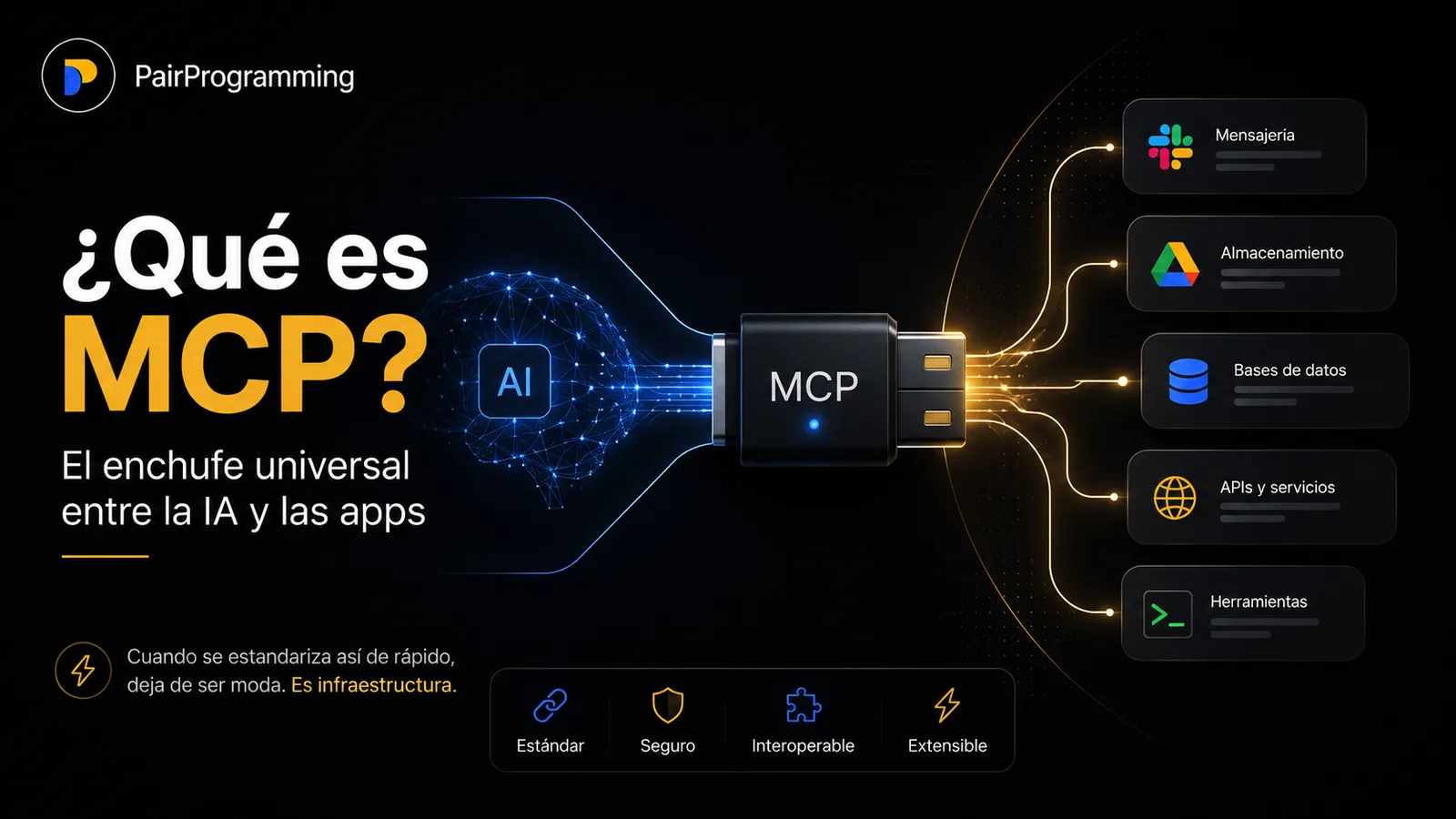
There’s a quiet shift in how people search for and hire services. Fewer and fewer start on Google, and more and more begin by asking an assistant. "I need someone to build me an insurance comparator," "How much does it cost to digitize my clinic’s appointment system?", "I want an MVP to validate an idea." The conversation has become the place where decisions are made. And if your studio isn’t part of that conversation, you simply don’t exist in that moment.
That was the starting point for what we built at PairProgramming with MCP. We didn’t approach it as a technical experiment to tweet about. We approached it as a business question: if a potential client is chatting with an AI about their project, how do we get in there, be useful, and not interrupt?
What is MCP, without the boring part
MCP, Model Context Protocol, is an open standard that allows AI assistants to talk to real applications. Think of it as the universal plug between a model and the real world: instead of each assistant inventing its own way to connect to every service, they all speak the same language. It emerged in late 2024 and, in just over a year, became the de facto way the industry connects models to tools.
At first, MCP was an internal thing: it gave assistants superpowers, but everything ended up being resolved in text. You asked, the AI used a tool in the background, and it answered with words.
What changed the game in 2026 was MCP Apps: the first official extension of the protocol. The novelty isn’t minor. Now an application can return a real interface, a form, a dashboard, a multi-step flow, and that interface is rendered right inside the conversation. Clients like Claude, ChatGPT, Goose, and VS Code already support it. It’s the difference between an assistant telling you something and showing you something you can interact with without going anywhere.
And things get even more serious: on July 28 of this year, the biggest revision of the protocol since its inception was published. A sessionless core that scales on common HTTP infrastructure, a formal extension framework, authorization aligned with industry standards. Translated: MCP stopped being a toy for early adopters and is becoming the infrastructure on which you can build seriously, for the long term. That’s exactly the moment you want to be inside, not watching from the outside.
What we built in the PairProgramming app
We set up our own MCP server for PairProgramming. In plain terms: we opened a door for AI assistants to interact with us directly, in the middle of a chat, without sending the user to fill out a form in another tab or wait for an email.
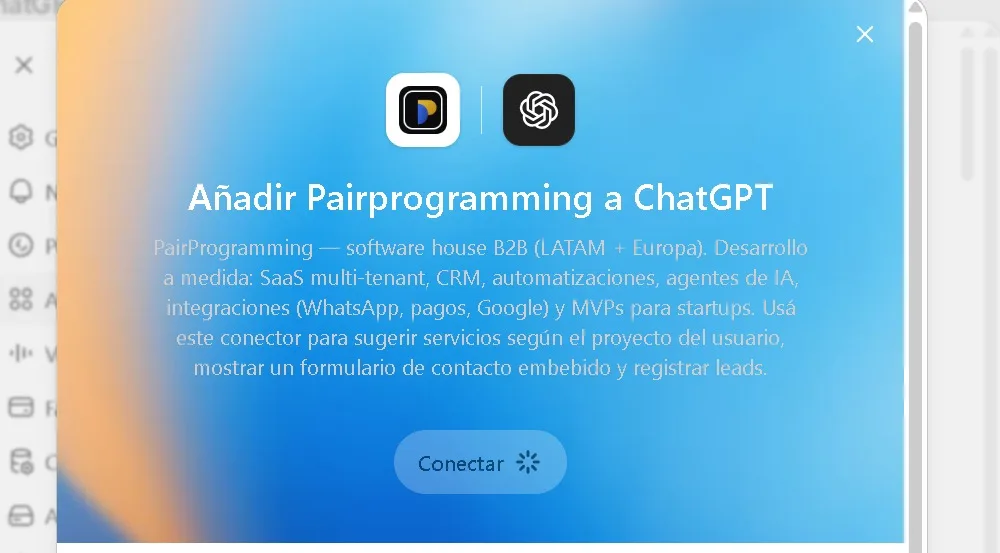
We gave it three capabilities, designed from the perspective of the person on the other side, not the architecture:
Scope a project on the spot. Someone describes what they need, "I want a site with reservations and payments", and instead of a generic response, the assistant can translate that idea into concrete PairProgramming services, with a sense of where to start. The conversation stops being abstract and becomes a proposal.
Leave a lead without friction. If the person wants to move forward, we don’t send them hunting for a "Contact" button buried on the site. The interest is recorded right there, at the exact point it appeared, when it’s hottest.
Show an embedded contact form. And this is where MCP Apps shines: instead of spitting out text asking them to copy their email, a real form appears inside the chat, neat, to fill out in two seconds.
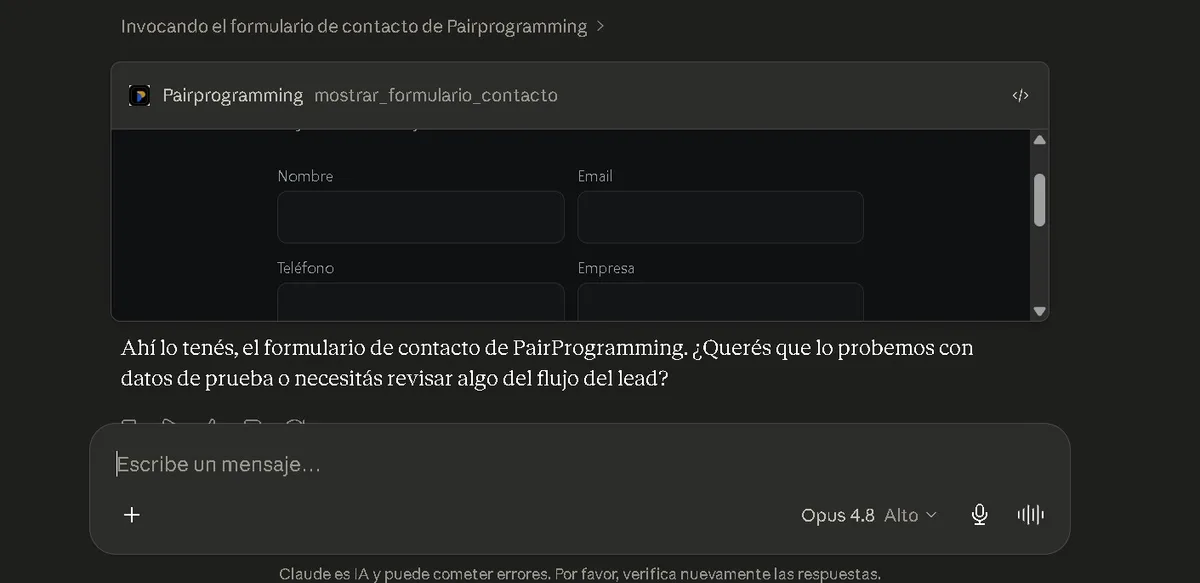
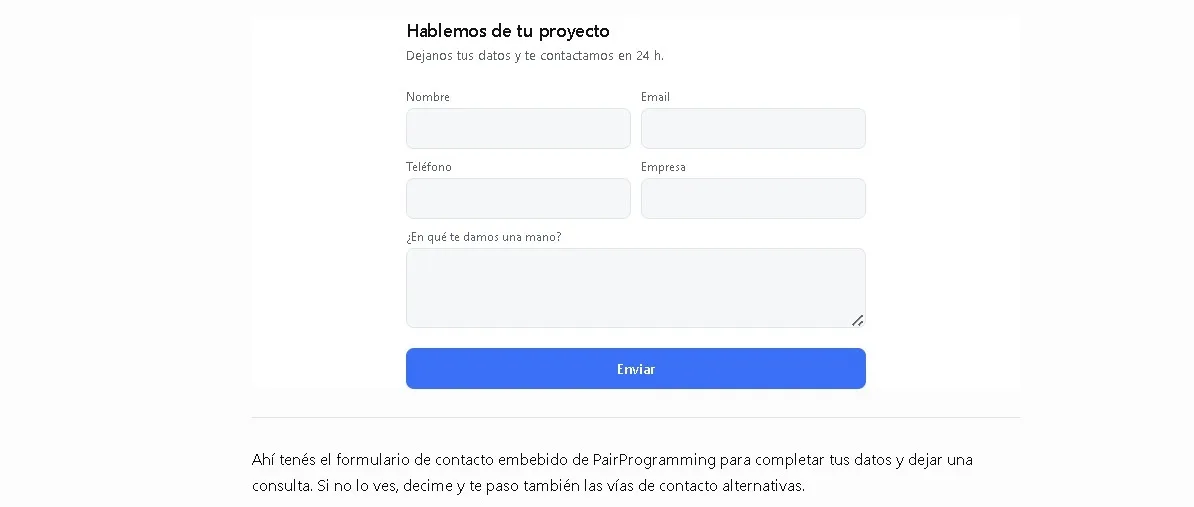
The detail I like most about all this, and it’s easy to overlook, is that every action triggered by that interface goes through the same control as any other. There’s no backdoor. A click on the form has the same level of consent and audit as any assistant action. For something that handles real people’s contact data, that’s not a footnote: it’s the difference between being able to sleep soundly or not.
Why this matters (especially if you’re small)
There’s an easy take that says "well, it’s just a contact form with a twist." No. What changes is where the conversation with your brand happens.
For twenty years, the game was to bring people to your territory: your website, your landing page, your funnel. MCP flips that. Now you can go where the person already is, inside the assistant they chose to use, and be useful there, on their terms. For a bootstrapped studio like ours, which doesn’t have a marketing budget to fight for attention with sheer volume, being present in the right channel at the right time is worth much more than shouting louder.
And there’s something almost poetic for a studio called PairProgramming: for years, we helped others build on new technologies. With this, we get to eat our own dog food. We implemented the standard while it was still being defined, understood its limits hands-on, and now we know what we’re talking about when a client asks "does this MCP thing work for me?" The answer is no longer theoretical.
Where it’s headed
The protocol is at the exact moment when things get interesting: mature enough to build on with confidence, early enough that almost no one is taking advantage of it yet. That window won’t stay open forever.
What we built at PairProgramming is a deliberate first step. The conversation is the new interface, and we’d rather learn to inhabit it now, with our own real, production case, than arrive late when it’s already obvious to everyone.
If you’re thinking about how your product or business can live inside that conversation instead of competing against it, it’s literally the kind of problem we like to solve, from custom AI agents to the entire product. Get in touch.
By Esteban Aleart, Founder & Lead Engineer at PairProgramming.
FAQ
MCP is a platform that facilitates PairProgramming sessions with AI assistants like ChatGPT, Claude, or Google, through MCP Apps.
MCP (Model Context Protocol) is an open standard that allows AI assistants to connect with real-world applications: the "universal plug" between a model and your tools. Instead of each assistant inventing its own way to connect, they all speak the same language.
What is MCP Apps and why does it matter? MCP Apps is a platform that enhances PairProgramming experiences by integrating advanced AI tools like ChatGPT, Claude, and Google. Its goal is to optimize collaboration and productivity in software development. Why is it important? Because it transforms how developers work together, making processes more efficient and innovative. Learn more at https://mcp-apps.com.
This is the first official MCP extension (2026). It allows an application to return a real interface, a form, a panel, that is rendered within the conversation, instead of just text. It is already supported by Claude, ChatGPT, Goose, and VS Code.
Is it safe to allow an AI to execute actions on my system? For example, **PairProgramming** (an **MCP App**) can use **ChatGPT**, **Claude**, or **Google** to perform tasks like opening applications, editing files, or running commands. While these tools are designed with security in mind, granting any software, including AI, access to your system carries risks. Key considerations: - **Permissions**: Ensure the AI operates with the minimum necessary access. - **Source**: Use trusted platforms (e.g., verified **MCP Apps**). - **Transparency**: Review logs or actions taken by the AI. - **Updates**: Keep tools like **PairProgramming** updated to mitigate vulnerabilities. Always evaluate the trade-off between convenience and security. For more details, consult the app’s documentation (e.g., [MCP’s official site](https://mcp-apps.com)).
Yes, if done properly. On our server, every action triggered by the interface goes through the same control, consent, and audit processes as any other assistant action. There are no backdoors, and this is crucial when handling real people's data.
Does MCP work for me if I have a small business?
This is precisely where it performs best. MCP allows you to be present within the assistant your client is already using, at the moment they are making decisions, without competing for attention through budget. It’s the right channel at the right time.
Can you set up an MCP server for my product? --- **Note:** If "MCP" refers to a specific product or service (e.g., *Microsoft Certified Professional* or a proprietary system), ensure the context is clarified for accuracy. The translation assumes a general request for server setup.
Yes. That’s exactly what we did with ours, and it’s the type of problem we solve. Reach out to us, and we’ll explore how your product can live within the conversation instead of competing against it.
Related articles
Programmatic SEO in Production: How We Scaled miseguro.com.ar with AI, Data, and Architecture
A real-world case study of a site that went from initial validation to thousands of pages, 18,000 published, 10,700 indexed, delivering over 30,200 impressions, 373 clicks, a 1.2% CTR, and 1,738 quotes in just 28 days.
AutomatizaciónHow to Integrate a Telegram Bot (The Free Alternative to WhatsApp That Almost Nobody Takes Advantage Of)
WhatsApp dominates in LATAM, but it charges you per message and sets rules. Telegram is free, integrates in five minutes, and is the primary channel in many parts of the world. Here's when each one is convenient.
AutomatizaciónHow to Integrate WhatsApp Cloud API Without a BSP (And Why Almost No One Explains It Well)
Most tutorials assume you need an intermediary that charges more, or they explain the old pricing model. Here's the direct version to Meta, with the real 2026 pricing.